
Apr 21st 2026
Increase Battery Sales & Knowledge
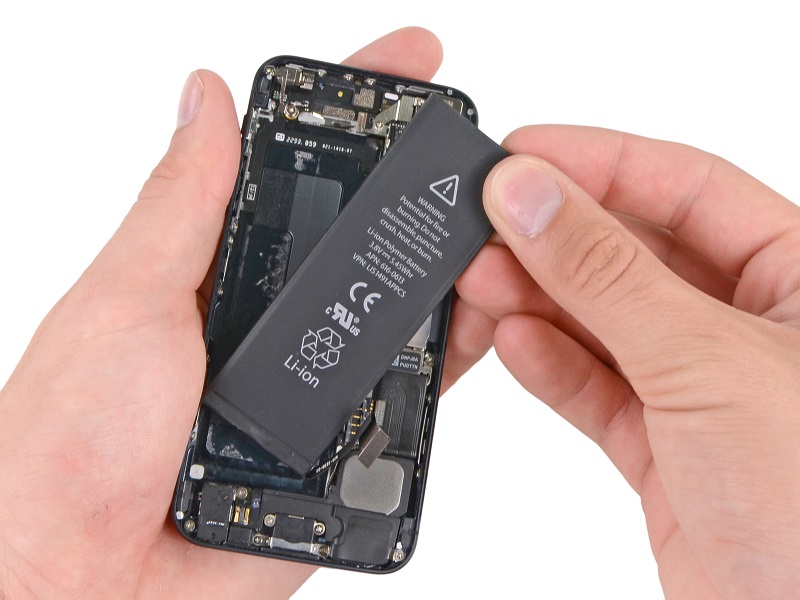
Battery life is a common complaint among smartphone users and is an opportunity to help customers and increase sales & profitability for repair stores that capitalize on the opportunity. When customers come in for a repair or accessory ask customers if they are happy with their battery life. Many customers respond they are not happy with their battery life which gives you the chance to offer a battery replacement or to evaluate their battery.
How can you tell how old a battery is and if it should be replaced? Free software programs like iMazing, iBackupbot & Coconut battery can read the cycle count, current battery capacity, maximum capacity and other data from an iPhone or iPad battery which tells how old a battery might be and if it should be replaced. It's typically as easy as starting the software program, connecting the phone to the computer and then clicking to view the battery information. Here's a screen shot from iMazing of my current iPad battery.
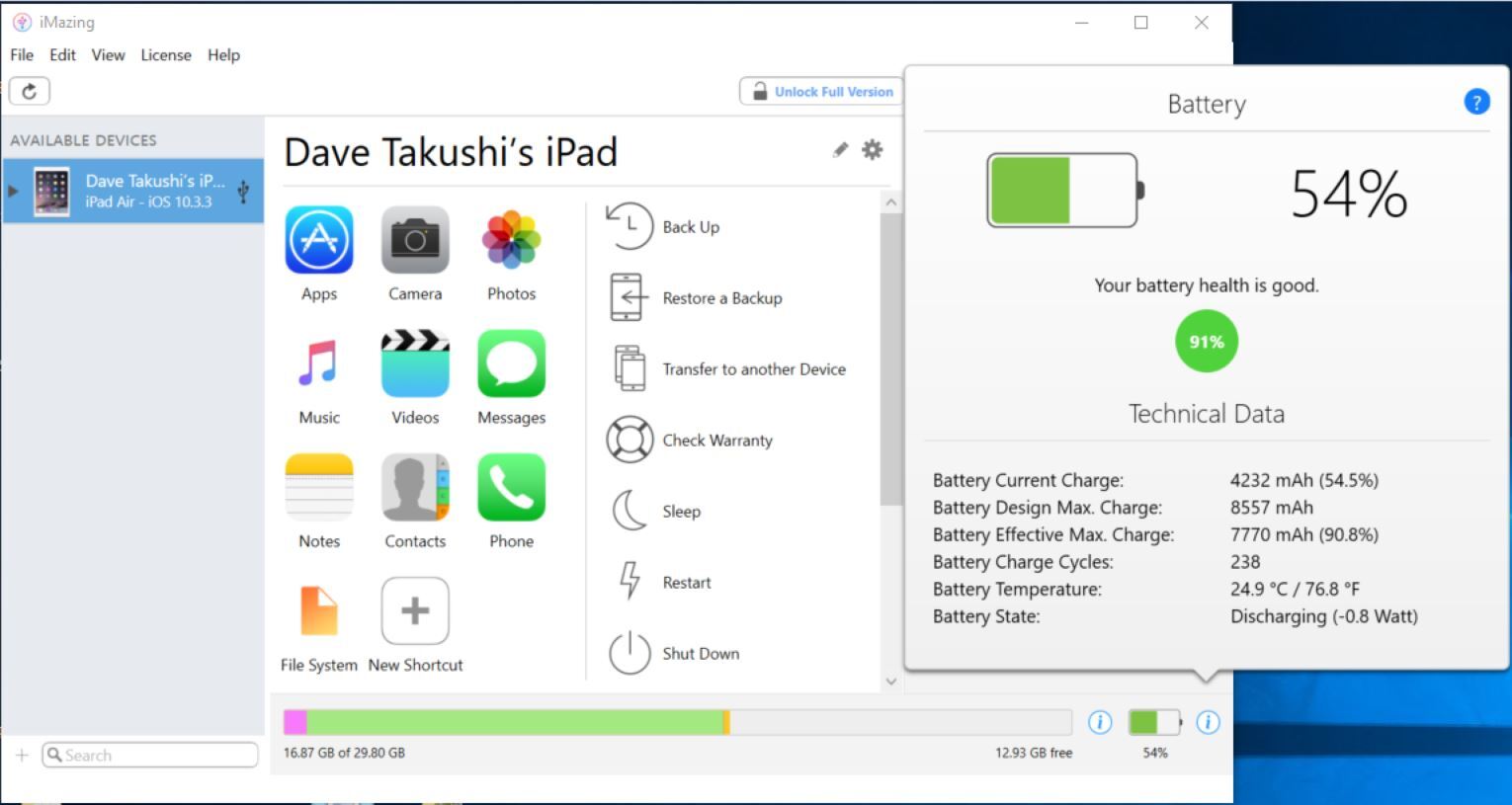
The main thing to look at here is Charge Cycles and Maximum Capacity. When an iPhone battery reaches 500 charges it has typically lost 20% of the battery capacity and Apple swaps the battery for customers with Applecare+. 500 charge cycles or 20% battery loss is a good benchmark for recommending a new battery to customers.
Here's a more in depth explanation of some of the battery information displayed by iMazing.
- Battery Charge Cycles - Apple defines charge cycles as how many times you've used 100% of the battery. For example if you've used 50% of your battery today and then charged it up that would be .5 charge cycles. If the next day you used 75% of your battery the charge cycle count over the two days would be 1.25 (.5 the first day and .75 the second day). Batteries are only designed to last so many charge cycles and the more charge cycles it's seen the worse the battery life of the phone.
- Battery Design Max Charge - This is also known as Design Capacity and it's the capacity your battery started with or was designed to have when it was brand new. This never changes and should be the same for all batteries for a specific model device. My device is an iPad Air and it was designed for 8557 mAh, all iPad Air original batteries should read this same Design Capacity.
- Battery Current Charge - This is simply how charged the battery is currently. My battery is charged to 4232 mAh or 54.5% of it's current capacity.
- Battery Effective Max Charge - This is the current maximum capacity of the battery. My battery is listed as 7770 mAh which is less than when it was brand new (8557 mAh) and means the battery is capable of 90% of what it was when it was brand new. That means I've lost about 10% of my battery capacity. The Max Charge is calculated by a chip attached to the battery so it's not 100% accurate as temperature can affect the calculation as well as how long it's been since it was completely discharged. This can be a good indicator, but I prefer to look at cycle counts.
- Battery State - This simply tells you if the battery is charging or discharging and if so how fast. Typically it will be charging since you have it plugged into a computer to read this info. If it's not charging you may have an issue with ththe device.
We've found these software programs extremely useful and they are available for free. Using these programs can increase your battery sales and provide facts on your customers battery which gives you credibility and trust when recommending a battery replacement.
Here are links to the software programs we've mentioned.
- iMazing - Runs on Windows computers https://imazing.com/
- Coconut Battery - Runs on Mac OS computers http://www.coconut-flavour.com/coconutbattery/
- iBackupBot - Runs on both Windows and Mac OS computers http://www.icopybot.com/itunes-backup-manager.htm
Author
Dave Takushi
Device Pro Solutions